Delete a previous Reports install
Previously installed CloudMonitor should be deleted if a new application is installed in a new workspace.
- Only User with Admin Access can delete a workspace
Deleting Previously Installed CloudMonitor
Section titled “Deleting Previously Installed CloudMonitor”Step 1: Select the workspace with application that has old version
Section titled “Step 1: Select the workspace with application that has old version”From the navigation pane, select Workspaces. It will show the workspaces available. Identify the workspace with application that has old version, and click More Options.
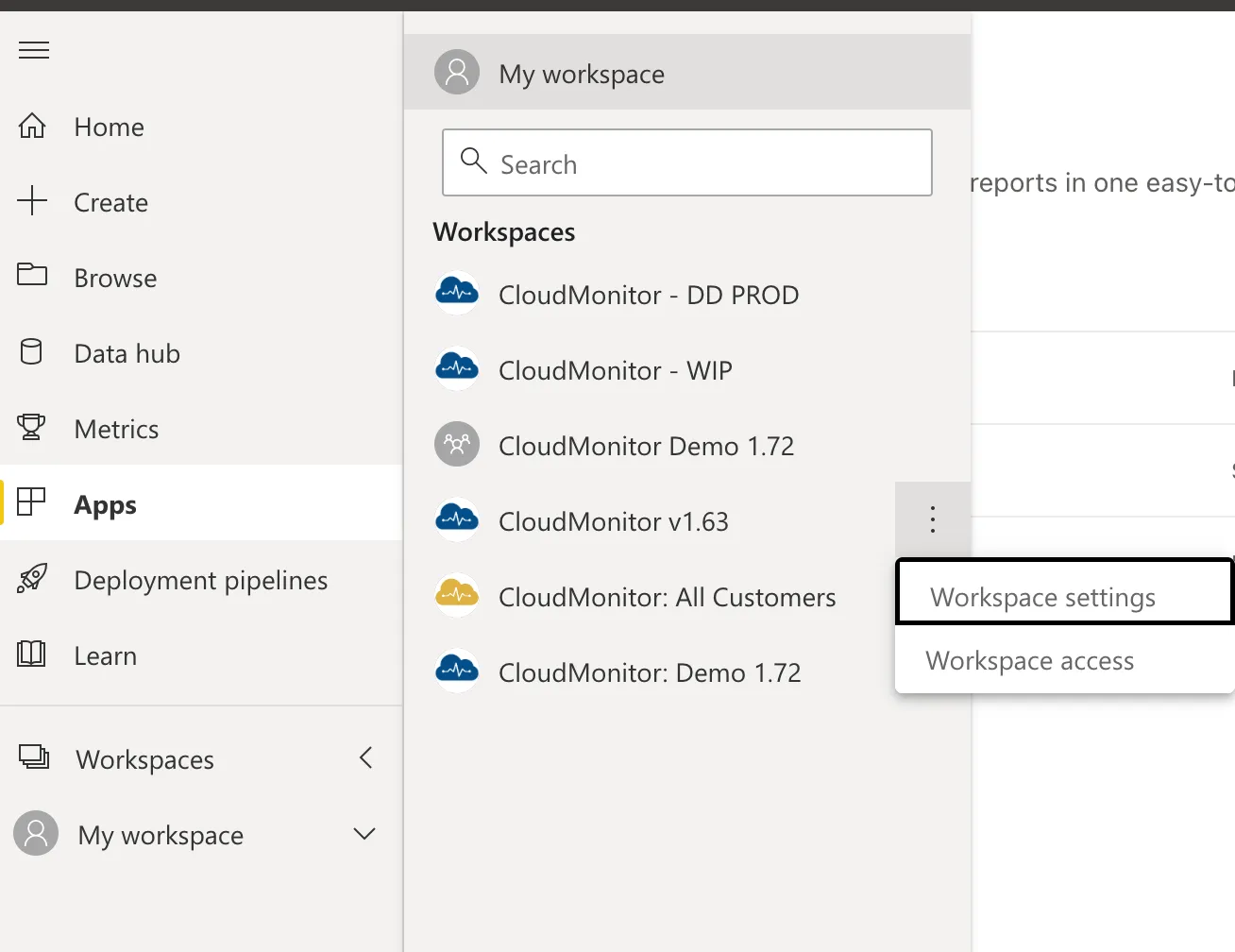
Step 2: Go to Workspace Settings
Section titled “Step 2: Go to Workspace Settings”From the options, select Workspace Settings. This will open the Settings window.
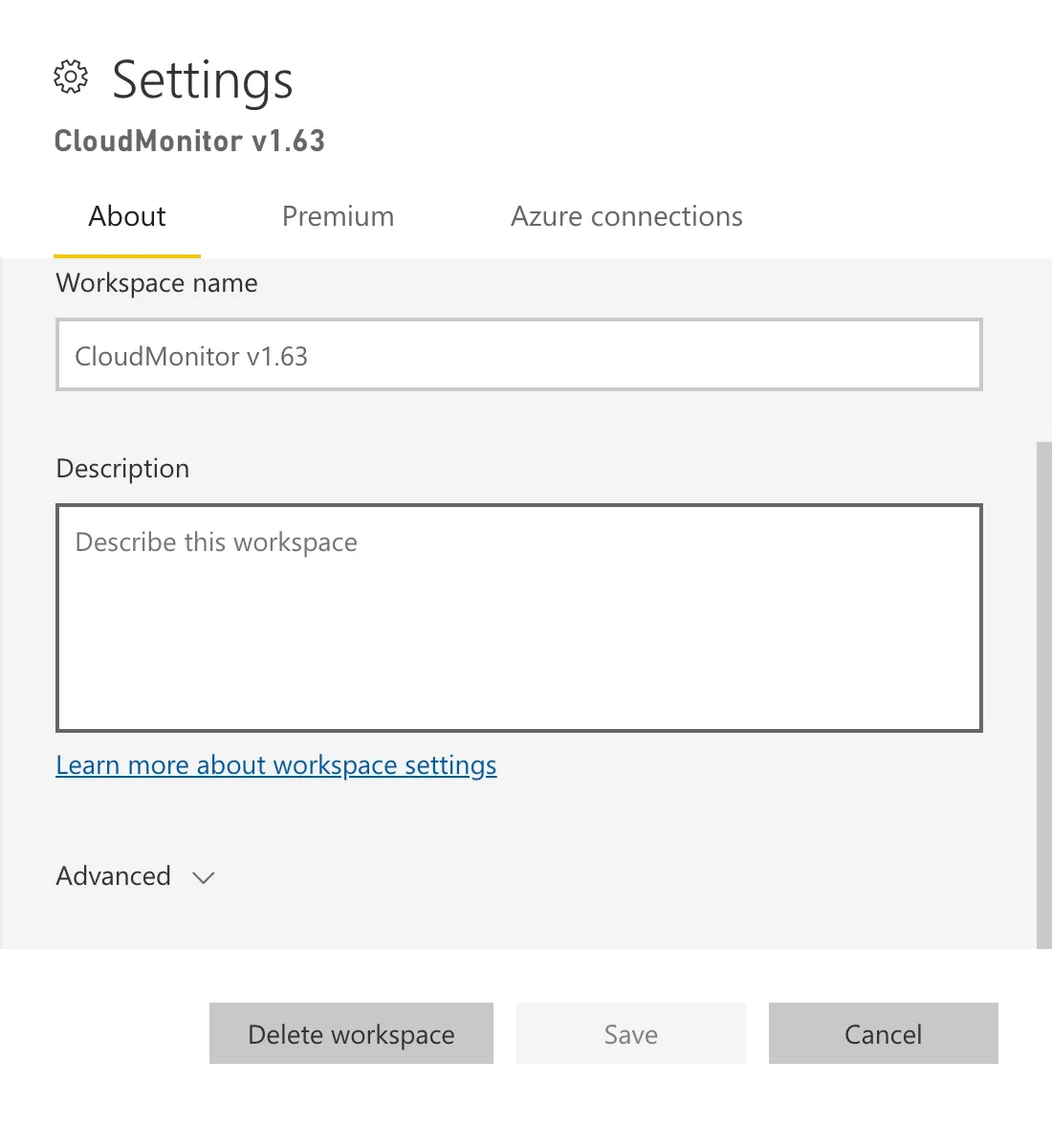
Step 3: Delete workspace
Section titled “Step 3: Delete workspace”Click the Delete workspace button, and confirm it.

Related articles
Section titled “Related articles”Step 4: Connect the PowerBI Reporting to the Analytics Engine